
In today’s digital world, HDMI (High Definition Multimedia Interface) has become the standard for video and audio transmission. However, many older devices still rely on composite video connections, which can make it challenging to connect newer equipment to legacy systems. This article delves into the world of HDMI to composite converters, providing a comprehensive guide to understanding their functionality, applications, and considerations before purchasing.
What is HDMI?
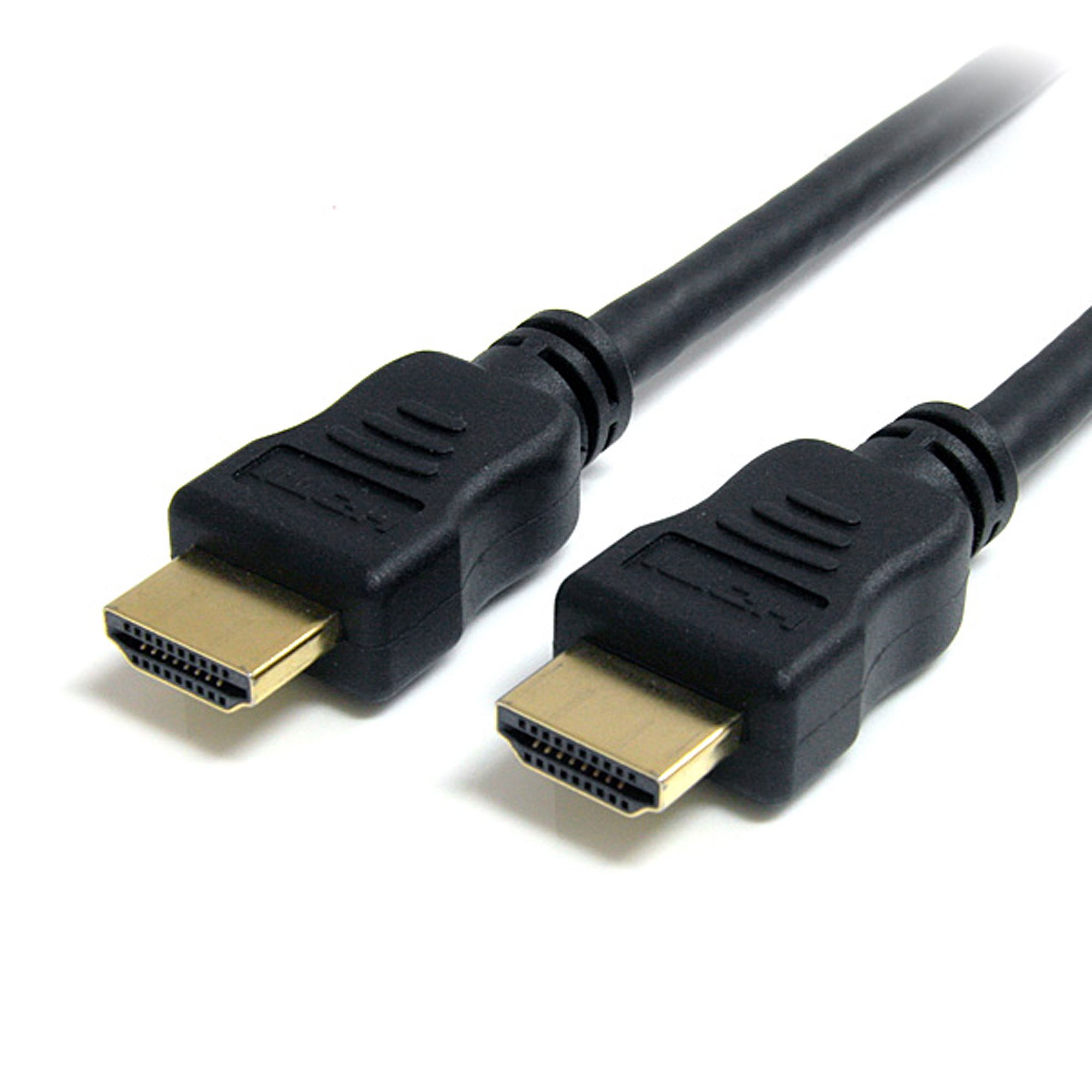
HDMI is a digital interface used primarily to transmit uncompressed video and audio data from a source device, such as a Blu-ray player, gaming console, or computer, to a display device, such as a television or monitor. HDMI supports high-definition video resolutions and multi-channel audio, making it the preferred option for modern multimedia devices.
What is Composite Video?
Composite video is an analog video transmission method that combines the video information into a single signal. It is often associated with older devices such as VHS players, CRT televisions, and some early gaming consoles. The composite signal is typically transmitted through a yellow RCA connector, with separate connectors for audio (red and white).
HDMI to Composite Converters Explained
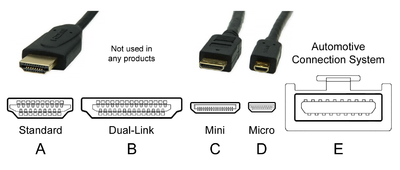
HDMI to composite converters serve as a bridge between modern HDMI devices and older composite video equipment. These converters take the digital HDMI signal and convert it into an analog composite signal, allowing users to connect their new devices to older displays.
How Do HDMI to Composite Converters Work?

The conversion process involves several steps:
- Signal Input: The converter receives the HDMI signal from the source device.
- Digital to Analog Conversion: The converter processes the digital signal and transforms it into an analog composite signal.
- Output Transmission: The converted signal is then transmitted through the yellow RCA connector to the display device.
Types of HDMI to Composite Converters

There are various types of HDMI to composite converters available in the market, each with unique features:
- Passive Converters: These are simple adapters that change the physical connection but do not convert the signal type. They are less common for HDMI to composite as HDMI is digital, and composite is analog.
- Active Converters: These devices include internal circuitry to perform the digital-to-analog conversion. They typically provide better quality and support for various resolutions.
- Up/Down Scalters: Some converters offer scaling options that allow users to adjust the output resolution, providing flexibility for different display requirements.
Applications of HDMI to Composite Converters

HDMI to composite converters can be used in several scenarios, including:
- Connecting New Devices to Old TVs: Users can connect modern gaming consoles or streaming devices to older televisions that only have composite inputs.
- Preserving Legacy Equipment: Businesses and institutions that rely on older projectors or televisions can continue using them with newer equipment.
- Video Production: In video production environments, these converters can help integrate new cameras with older monitoring equipment.
Choosing the Right HDMI to Composite Converter
When selecting an HDMI to composite converter, several factors should be considered:
- Resolution Support: Ensure the converter supports the resolution of your source device. Most converters support 720p or 1080p input.
- Audio Support: Check whether the converter supports audio transmission. Some converters may require separate audio cables.
- Build Quality: Look for converters made from durable materials with good reviews regarding performance.
- Power Requirements: Some converters need external power sources, while others are powered through HDMI. Consider your setup’s convenience.
Common Issues and Troubleshooting
While HDMI to composite converters are generally reliable, users may encounter issues. Here are some common problems and potential solutions:
- No Signal: Ensure all connections are secure. Verify that the source device is powered on and set to the correct output.
- Low Quality Output: Some converters may not handle high-resolution signals well. Check if the converter supports the input resolution.
- Audio Issues: If there is no audio, ensure that the audio output is set correctly on the source device, and check the audio connections.
Case Study: Integrating Modern Devices in Educational Institutions
Many educational institutions face the challenge of integrating new technology with existing audiovisual equipment. A local high school was looking to upgrade its media capabilities without replacing all its older projectors and monitors. By implementing HDMI to composite converters, the school successfully connected new laptops and streaming devices to its existing equipment, allowing for modern teaching methods and enhanced learning experiences without incurring significant costs.
Statistics on HDMI and Composite Usage

According to a recent survey by the Consumer Technology Association, approximately 90% of households in the United States own at least one HDMI device, while a significant portion still has older devices that rely on composite connections. This highlights the ongoing need for solutions that bridge the gap between new and old technology.
HDMI to composite converters play a critical role in today’s technology landscape, allowing users to connect modern devices to legacy systems seamlessly. Understanding how these converters work, their applications, and the factors to consider when purchasing one can help users make informed decisions. Whether for personal use or in professional settings, these converters provide a valuable solution for bridging the digital divide. By integrating modern technology with older equipment, users can enjoy the best of both worlds without sacrificing functionality or quality.
As technology continues to evolve, the need for such converters will likely persist, making it essential for consumers to stay informed about their options and capabilities. Embracing the flexibility offered by HDMI to composite converters ensures that users can maximize their multimedia experiences, regardless of the equipment they own.


